Spatchr
Field-service software for the office and the field, for businesses of any size: leads, estimates, scheduling, jobs, invoices, payments and an AI assistant, in one app that keeps working with no signal. I designed it, built it with AI coding agents, and deploy and run it myself.
| My role | Founder, product designer, architect and operator. AI coding agents (mostly Claude Code) wrote the code under my direction. |
|---|---|
| Platforms | Android and web from one codebase (iOS next) |
| Stack | TypeScript, React Native / Expo, React Native Web, SQLite on device, Node, self-hosted PostgreSQL, Stripe Connect, Cloudflare R2, OpenRouter + Whisper |
| Status | Live at spatchr.com, entering beta with real field-service businesses |
What Spatchr does
Spatch AI: ask your business anything
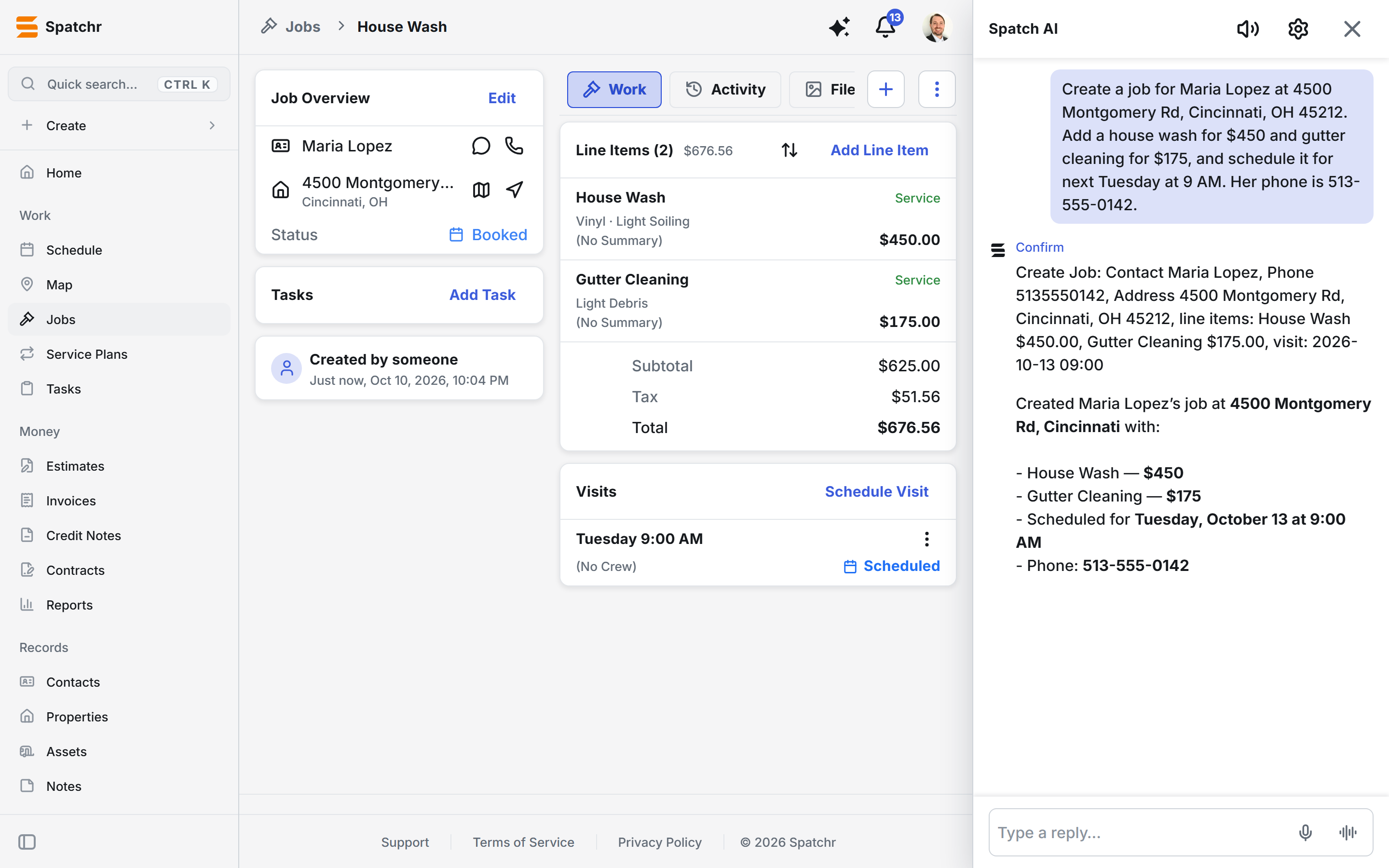
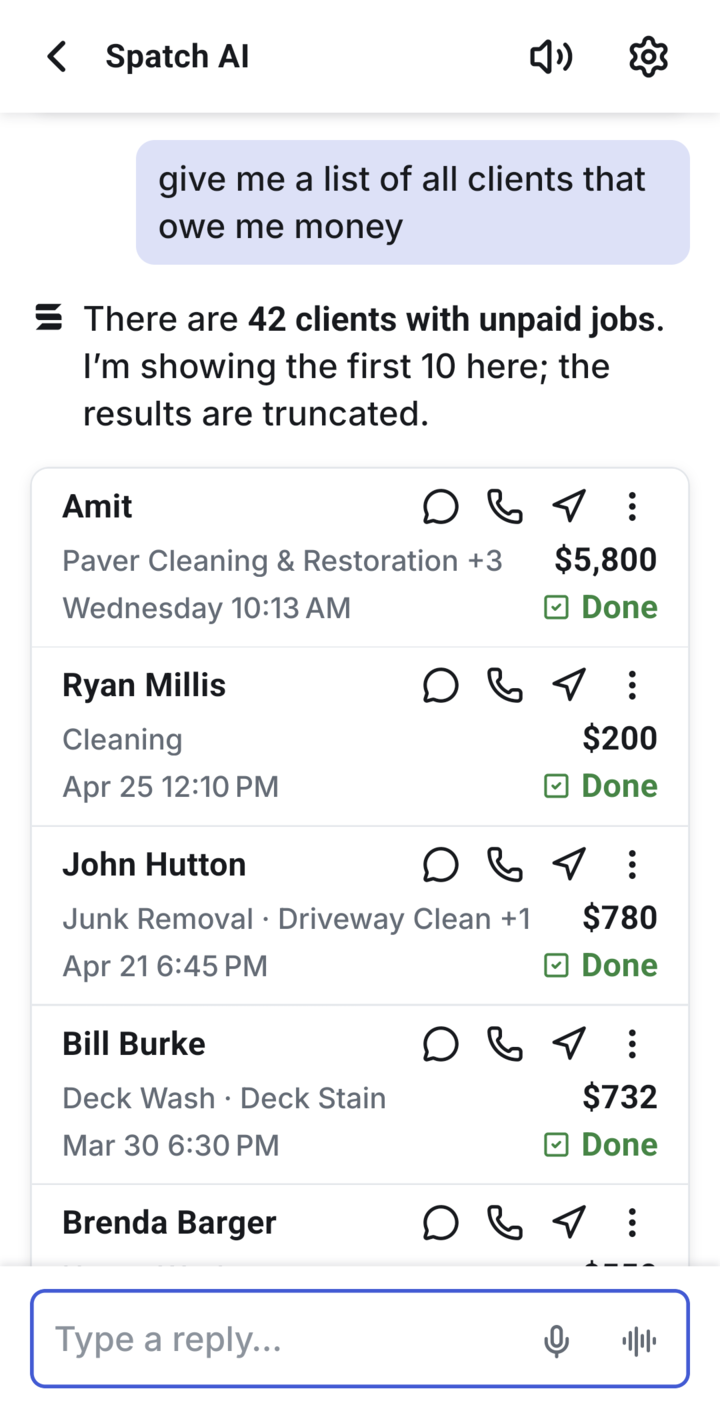
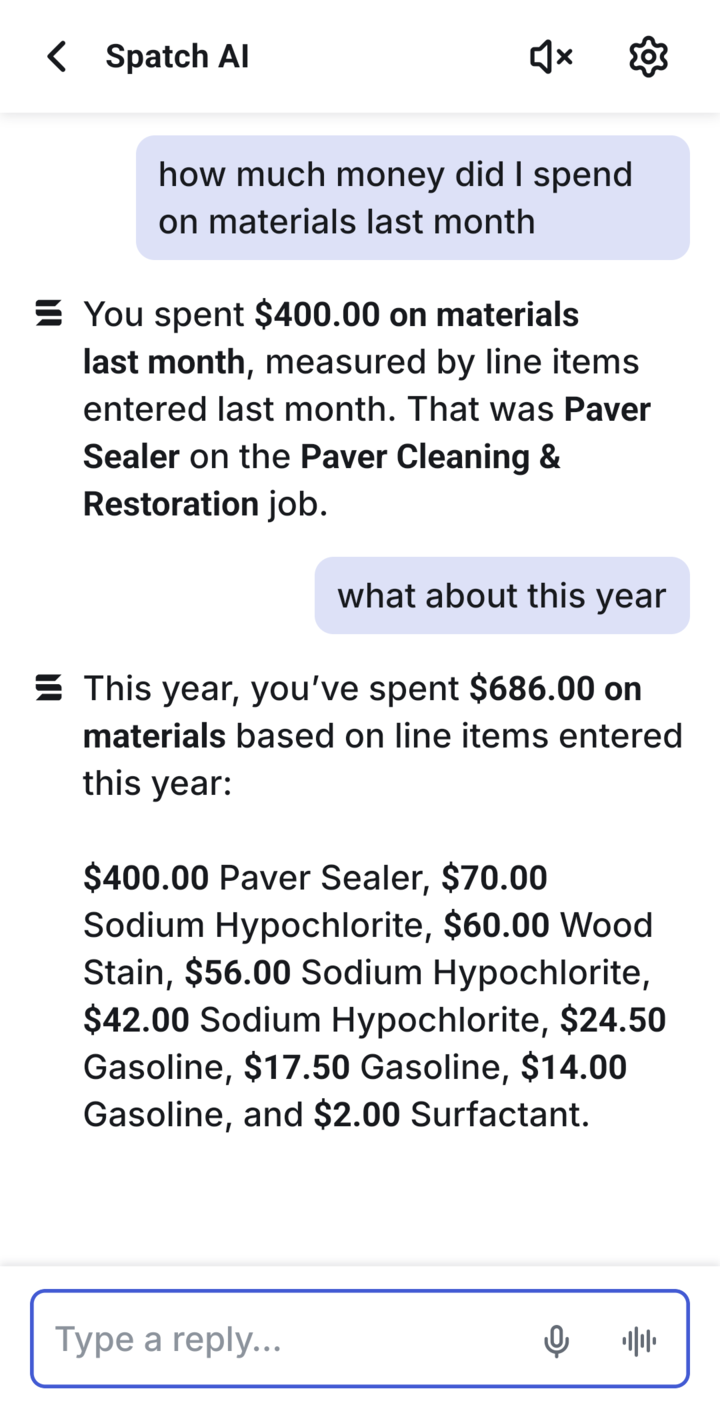
A voice and text assistant built into the app. Ask "who owes me the most?" and it answers from your real data. Ask it to book a job or record a payment and it shows you exactly what it will do, then waits for you to confirm.
- 96% correct on 82 real-world requests, measured by an evaluation suite
- About $0.56 per user per month, with every call metered
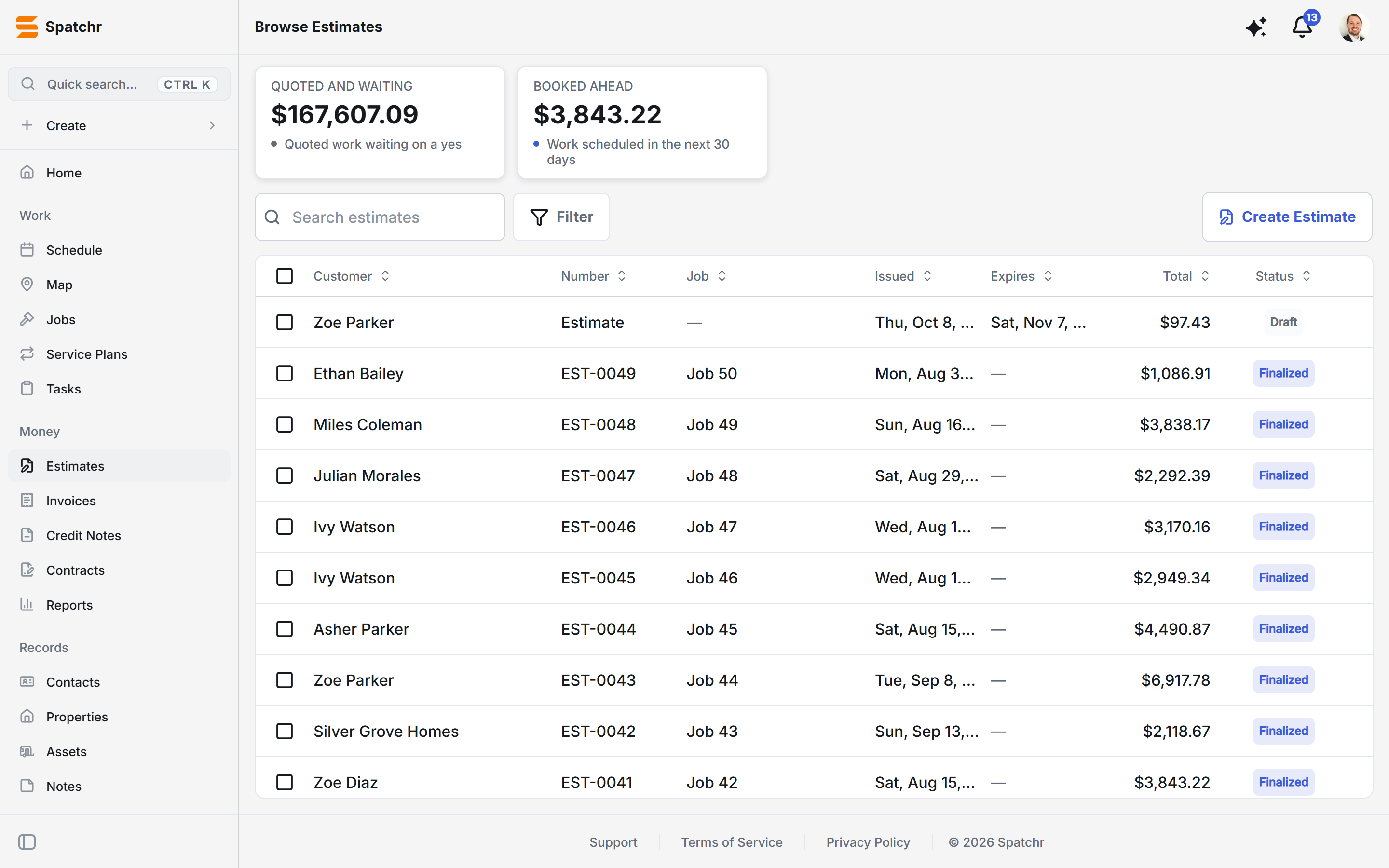
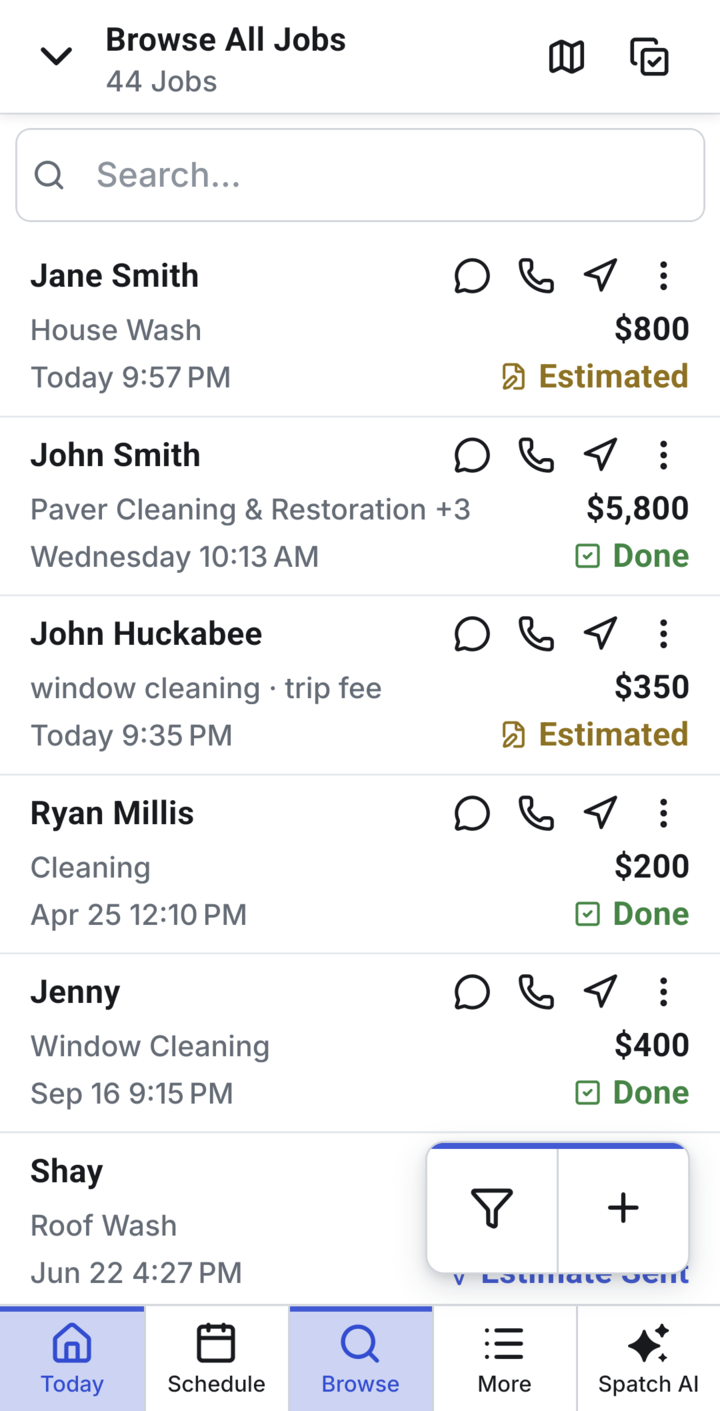
One app on the phone and the web
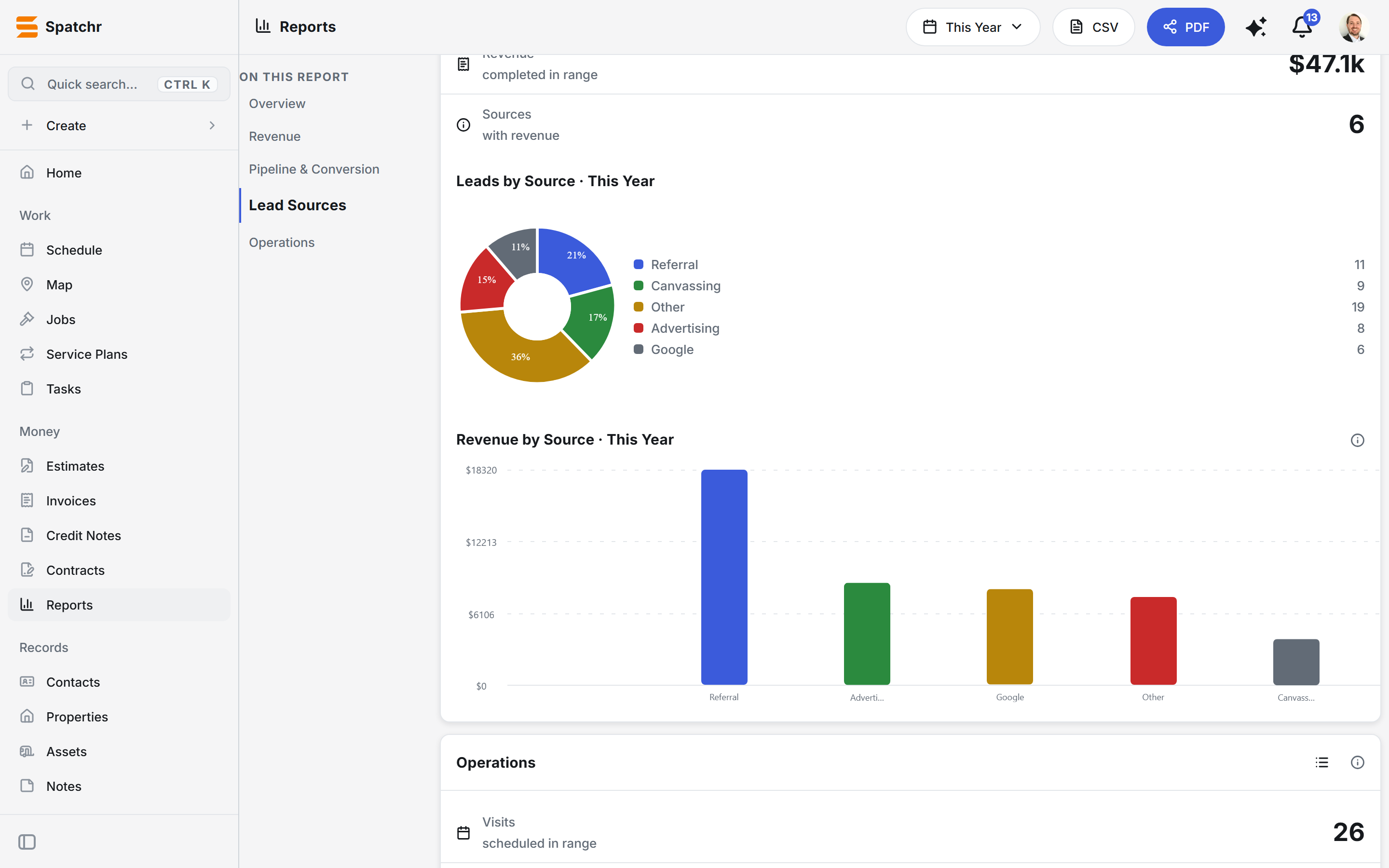
The same codebase runs the Android app and the full web app. On a desk it opens into a sidebar, wide tables and side-by-side previews. On a phone it becomes a bottom tab bar, cards and thumb-sized actions. I directed every screen of the UI, from layout and wording to how it should feel at a desk or on a job site.
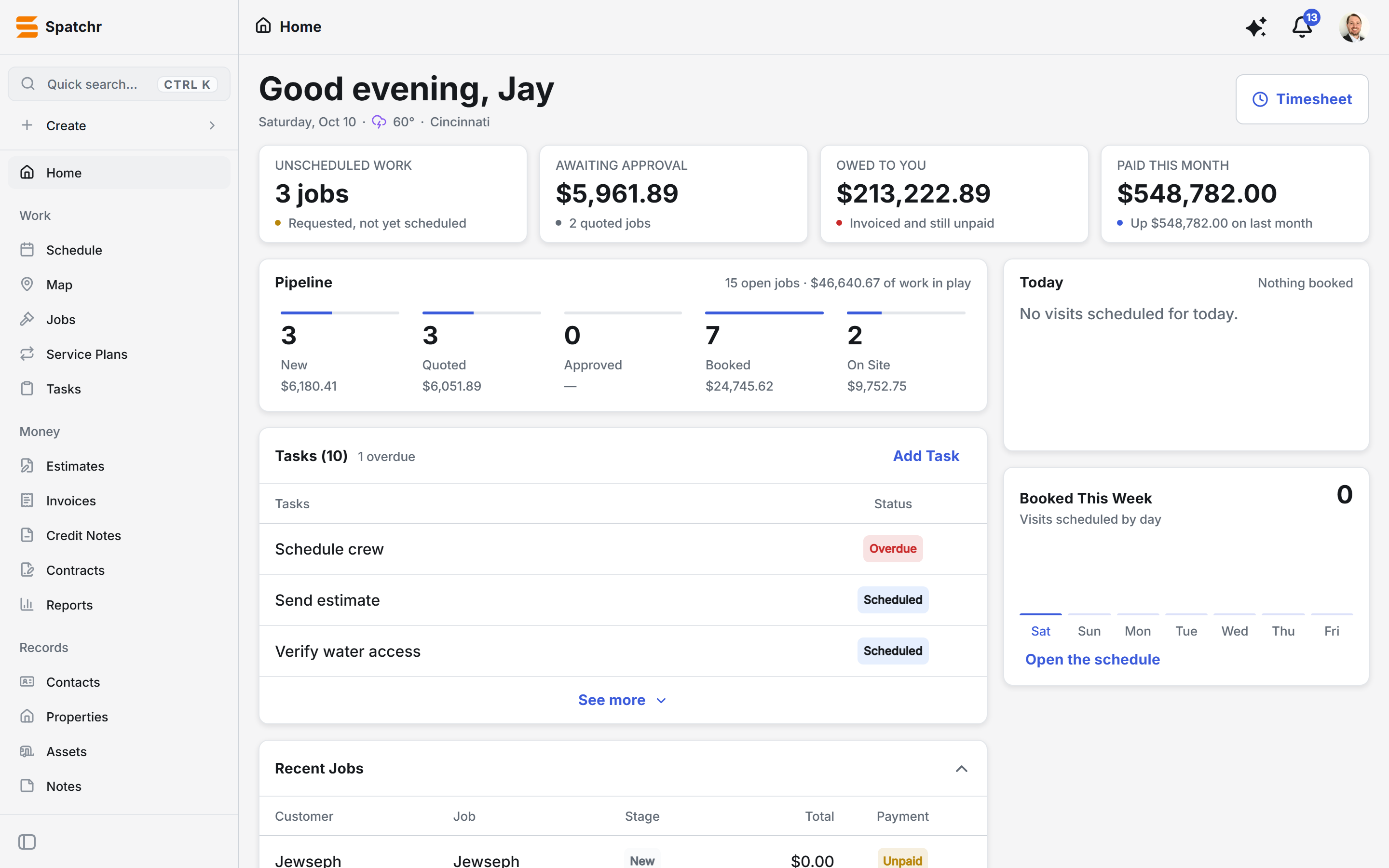
The whole business at a glance
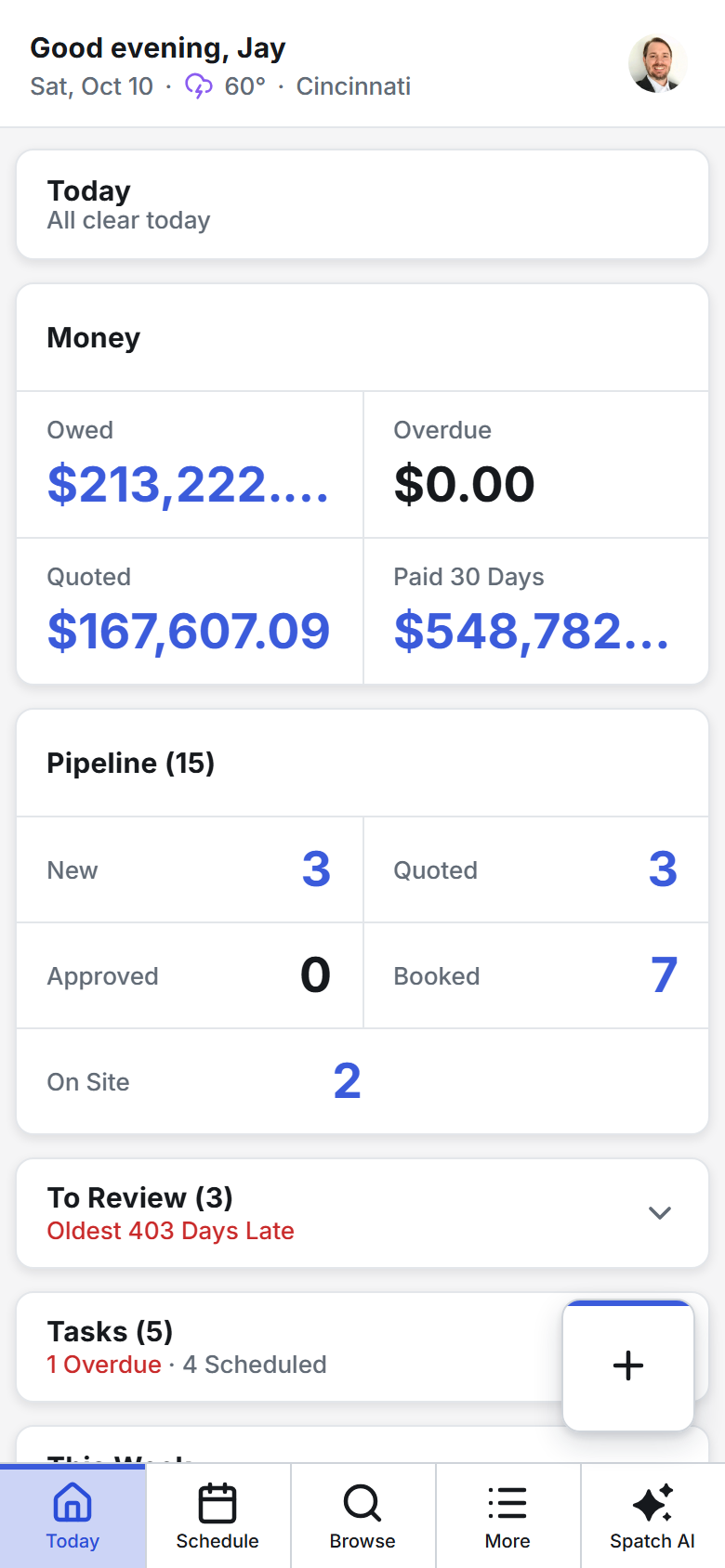
The home screen answers an owner's first questions every morning: what's unscheduled, what's waiting on a customer's yes, who owes money, and what got paid. The pipeline shows every open job by stage with the dollars attached.
Estimates and invoices customers actually see
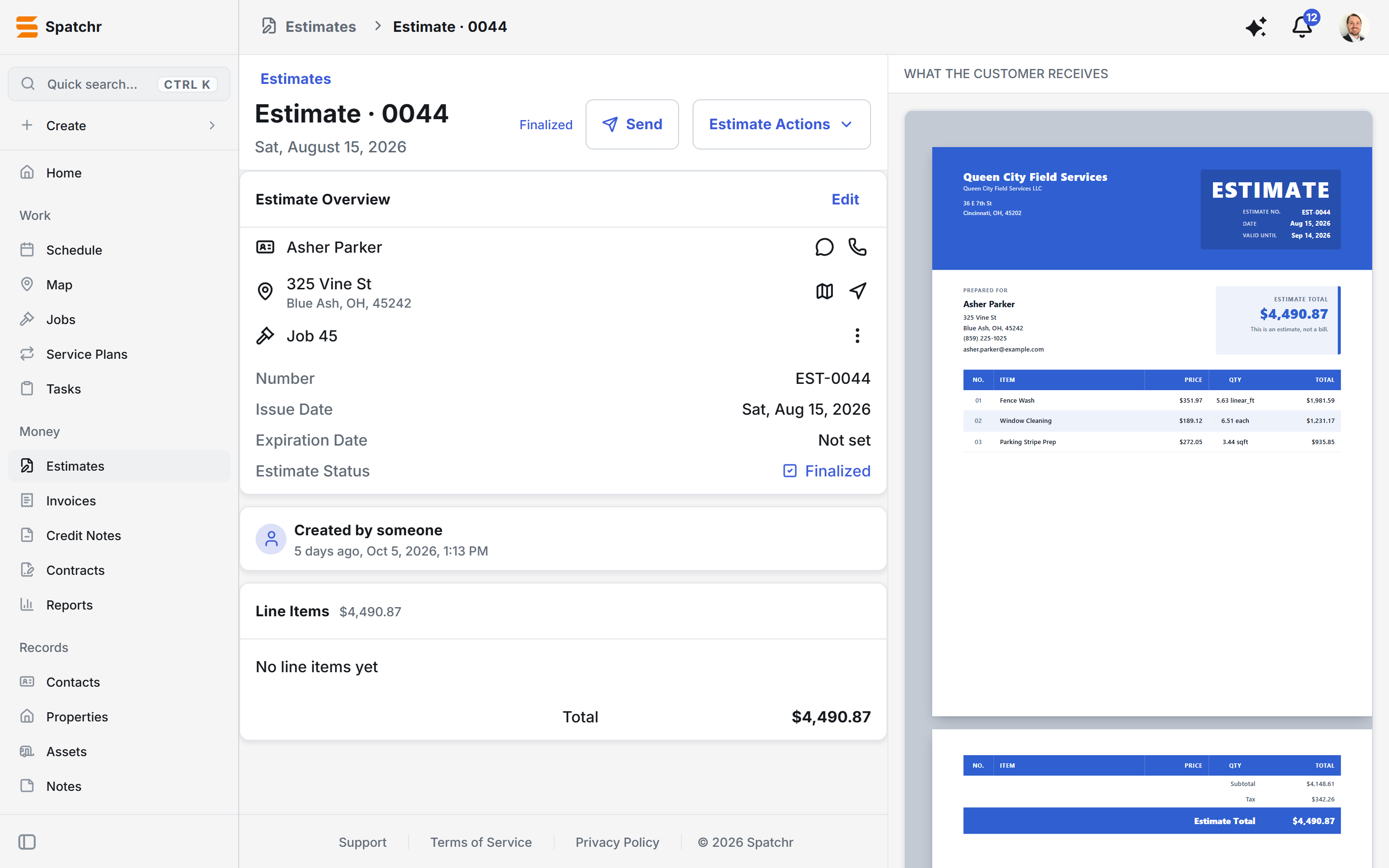
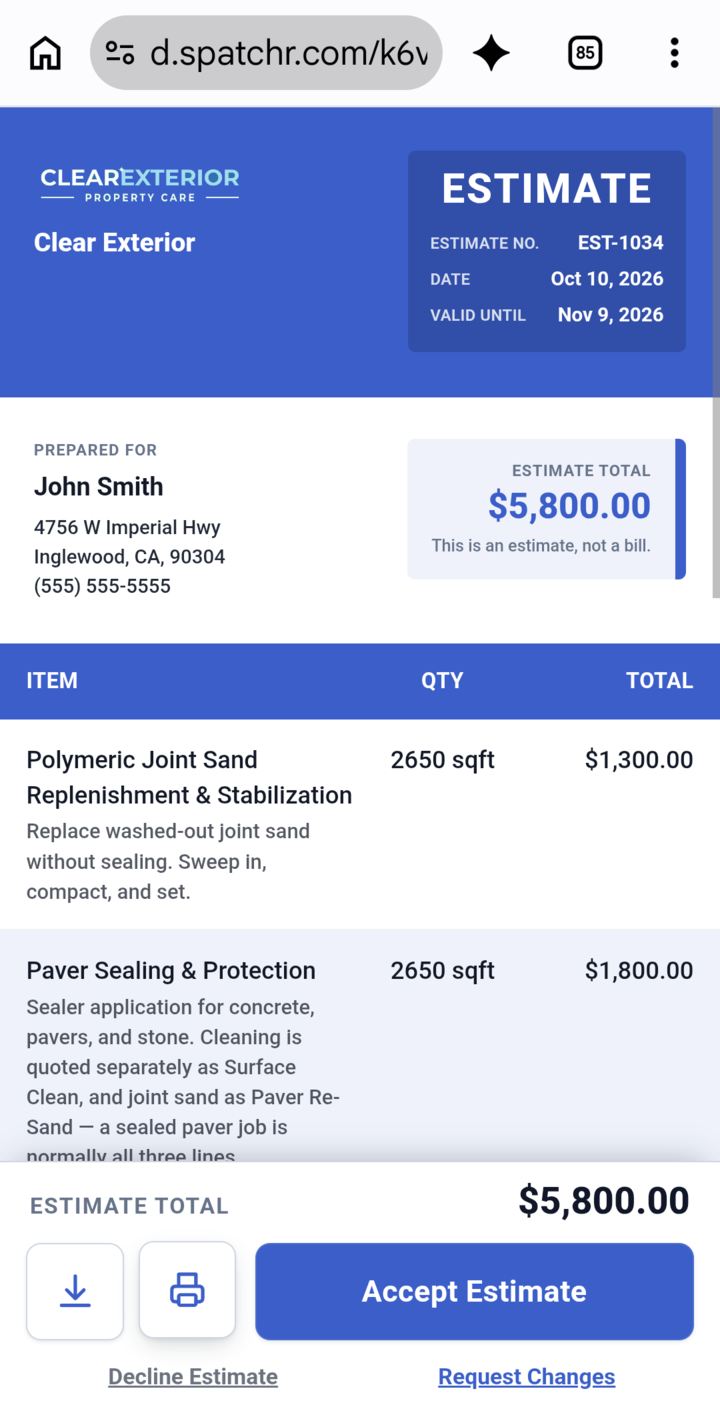
Build an estimate on site, send it, and watch a live preview of the exact branded document the customer receives. The customer gets a link that opens the document on any phone, where they can accept it, decline it or request changes, and their answer shows up on the job right away. Approved estimates become jobs, and jobs become invoices that customers can pay online.
- Server-assigned numbers and frozen snapshots, so a sent document never changes
- Card payments with Stripe, and Tap to Pay on the phone
- E-signed contracts with an evidence trail
Scheduling and dispatch
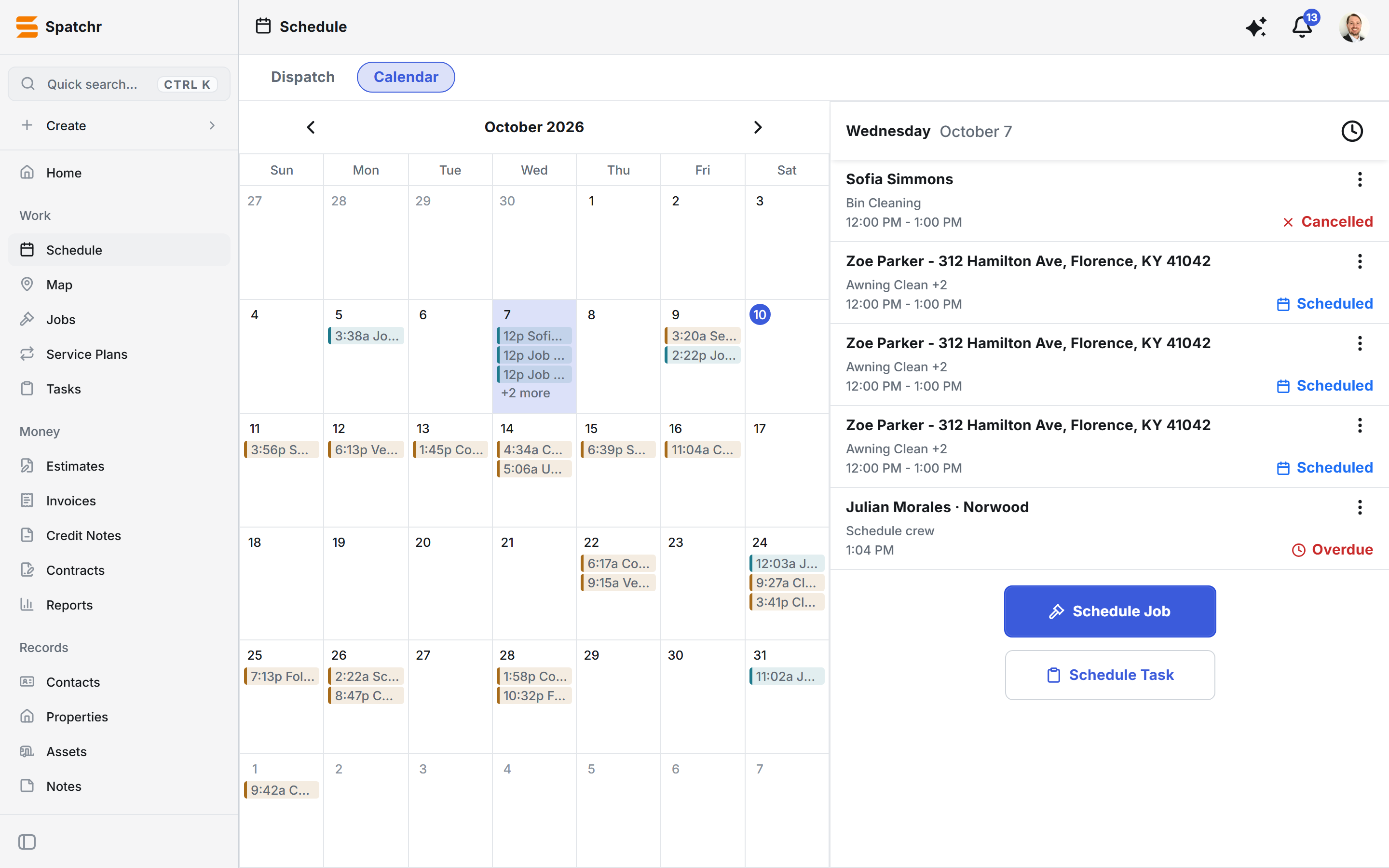
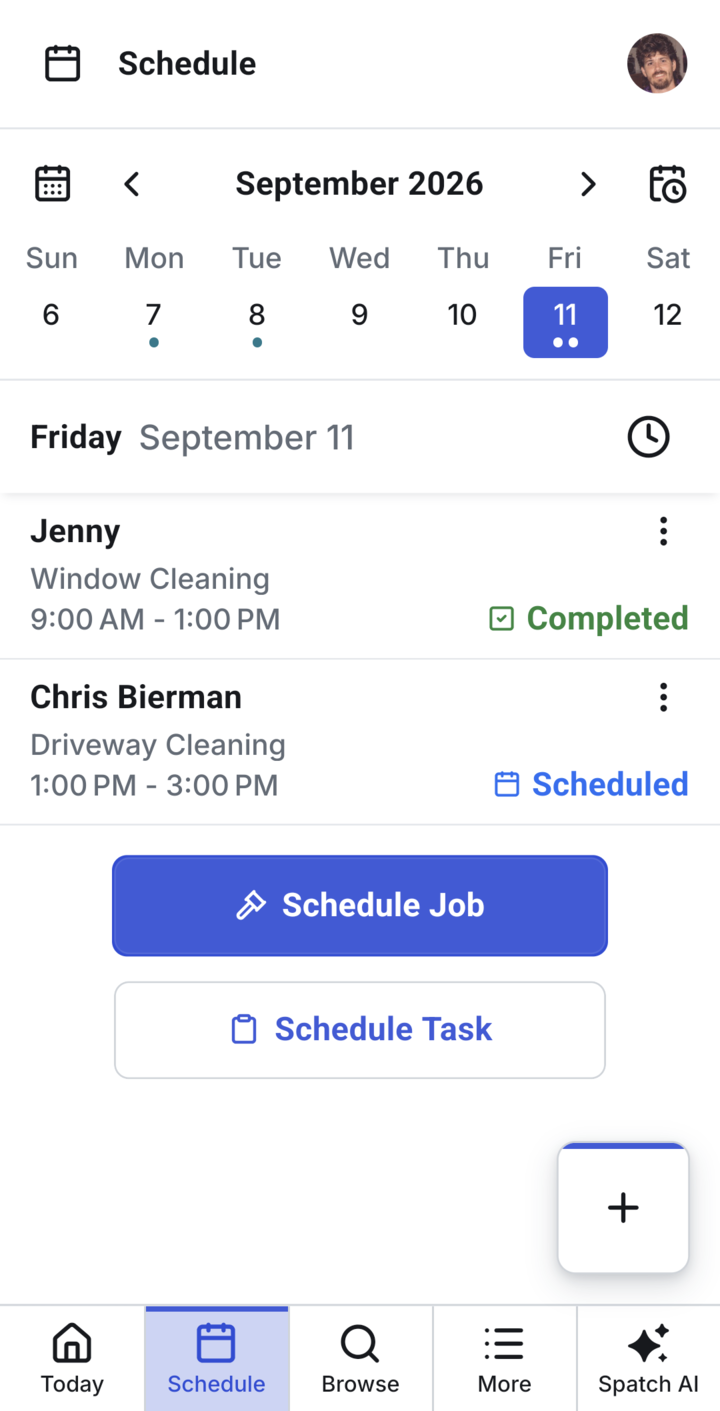
A dispatch board for assigning crews by the hour, and a calendar for the month. Service plans generate recurring visits automatically, and timesheets track who worked when.
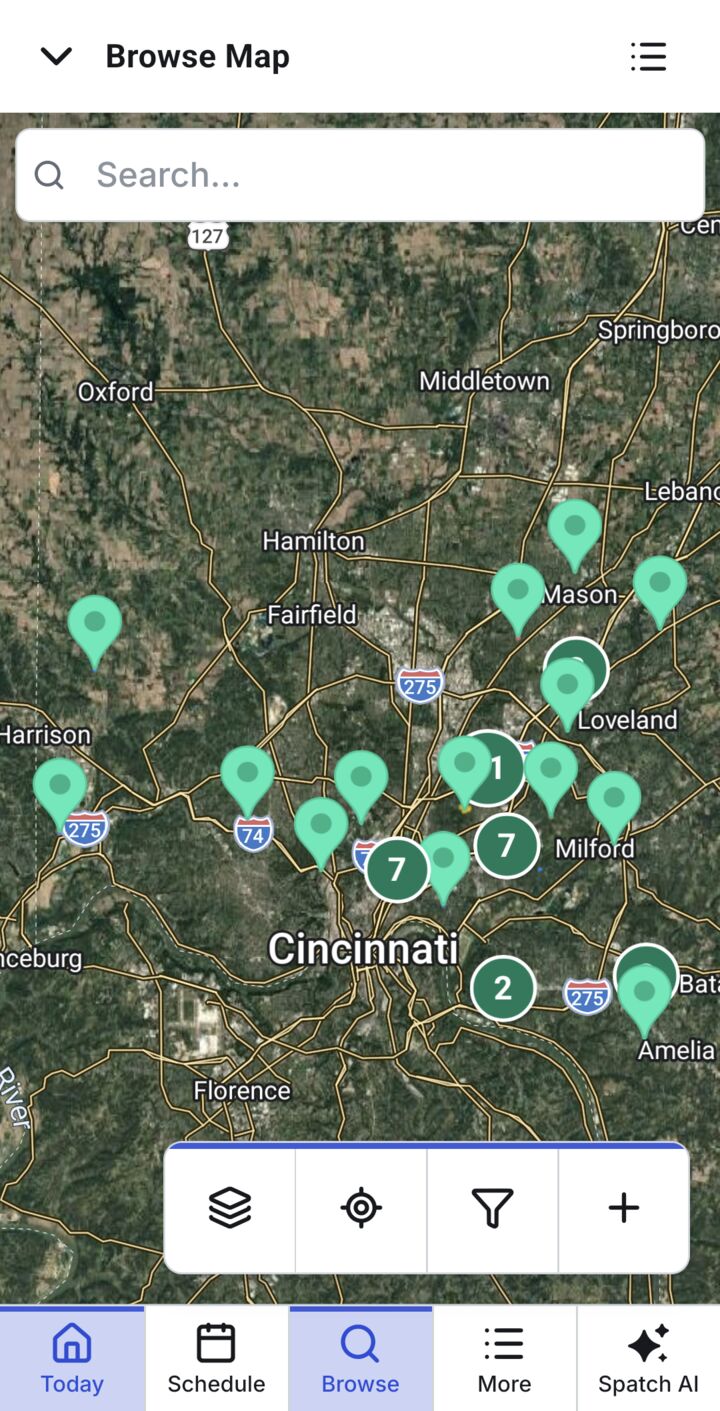
Jobs on the map, and an area measuring tool
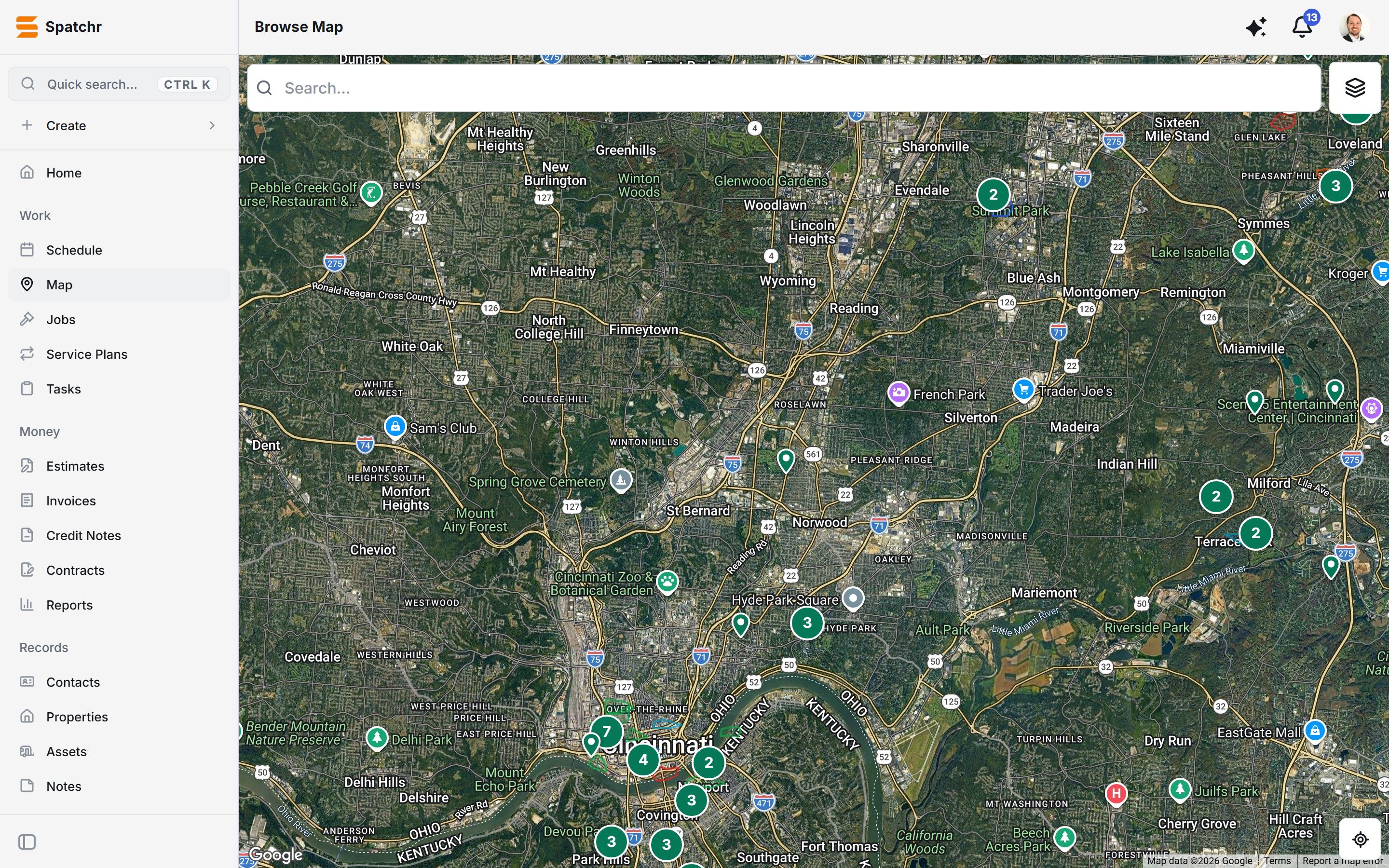
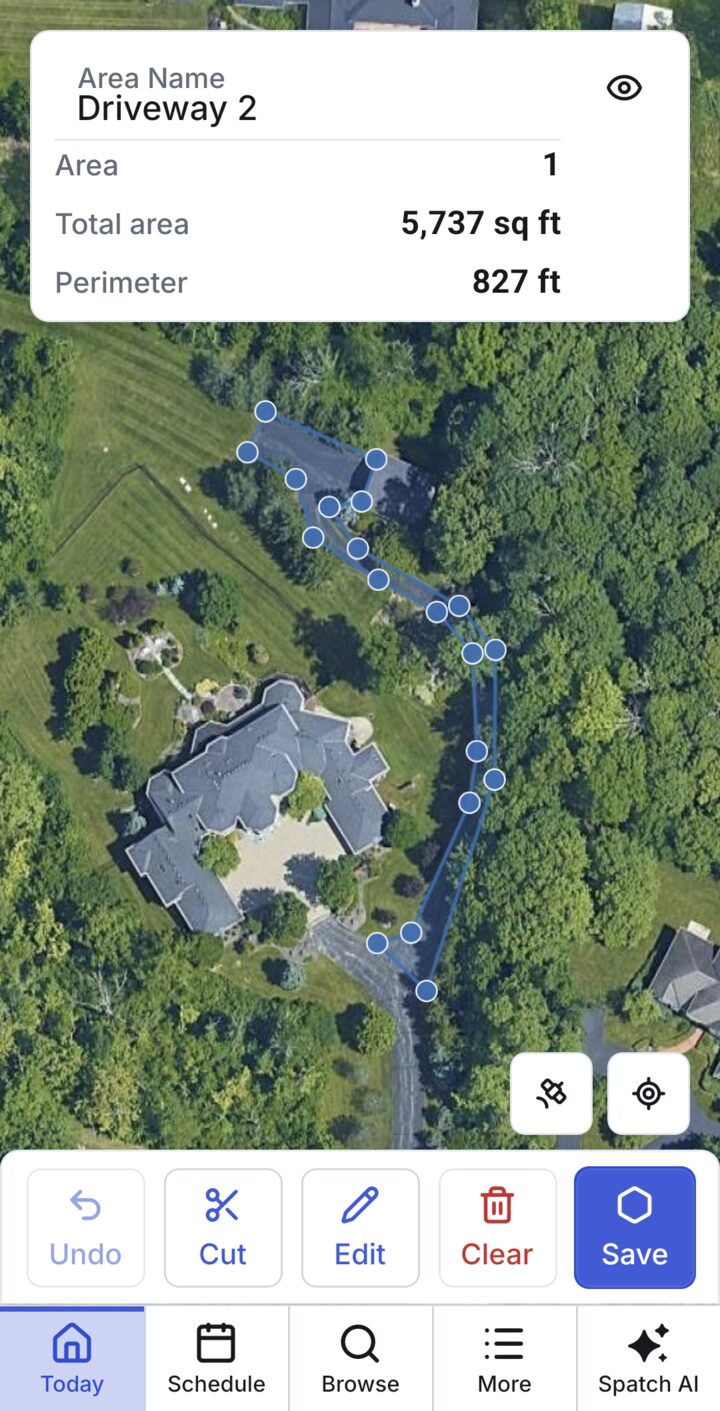
Every job and property on a satellite map, clustered when zoomed out. The area tool lets you trace a driveway, roof or lawn with your finger and get its square footage and perimeter on the spot, then price the job from the measurement.
Works in the office and in the field
The full web app runs the office, and the phone app keeps working on a job site with no signal. Changes sync the moment a device is back online.
And everything else a service business needs
How Spatch AI is engineered
Built to be useful and safe enough to touch real business data. This is the part I'm proudest of.
Tools, not guesses
The assistant works through 6 tools generated from the app's own data definitions: 5 that only read (search, calculate, context, schedule, lookup) and 1 that acts. One schema both describes each tool to the model and validates what the model sends back.
Nothing changes without a yes
Every change goes preview → confirm → commit, and is checked against the user's role. The assistant writes through the same save path as the app's own screens, so it can't do anything a user couldn't.
Measured, not hoped
An evaluation suite grades it on 82 real-world requests (79 correct) and 15 curated scenarios. Every miss is written down. A test fails the build if the suite grades a tool the model isn't actually offered.
Cost and safety controls
Keys stay on the server, which relays to OpenRouter for the model and Whisper for speech-to-text. Production allows only vetted models. Every call is metered in micro-dollars, with a limit that stops abuse.
Hands-free
Built for people on ladders: speak a request, hear the answer, and the assistant keeps listening when it needs a follow-up.
Capped and contained
The agent loop runs at most 12 steps per request. Answers come from the business's own records, filtered by the same permissions as everything else.
How it's built
I don't read every line the AI writes. Nobody could at this size. Instead I make the decisions only a person can, and I build checks that prove the result is right.
Direct: the decisions that shaped it
- Offline-first. Every read and write goes to a database on the phone. A sync engine I designed reconciles with the server when the signal comes back.
- One shared core. I pulled the business rules into a package that both the phone app and the server run, so they can never disagree.
- Describe it once. Each record type is defined once (fields, relations, workflow) and shared screens render it. That's how one person built a CRM this broad.
- Own the infrastructure. I moved the database, sign-in and realtime off a hosted provider onto my own server, with no feature changes.
Verify: proof instead of trust
35% of the codebase is automated tests: 211,000 lines across 770 test files, plus 140 rules that fail the build if the architecture is broken.
- Fuzzers simulate many phones editing the same data offline and check that everything converges and no business can see another's data.
- Security tests run the real database policies against a real database. A fuzzer found a real access leak on its first run, closed the same day.
- Agent-run bug sweeps: all 41 findings in one sweep fixed, each with a test proven to fail on the original bug.
Ship: I run it
- Self-hosted PostgreSQL, API and realtime on a server I manage, with encrypted point-in-time backups
- Stripe subscriptions and payouts, Cloudflare storage, Google Play compliance, over-the-air app updates
- Self-built telemetry that strips personal data on the device, plus an operator console